
Extends Textarea
- has the same features
Make
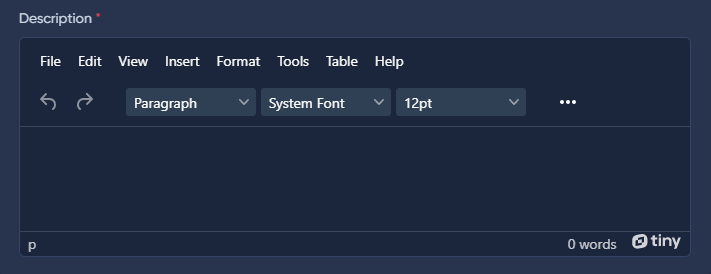
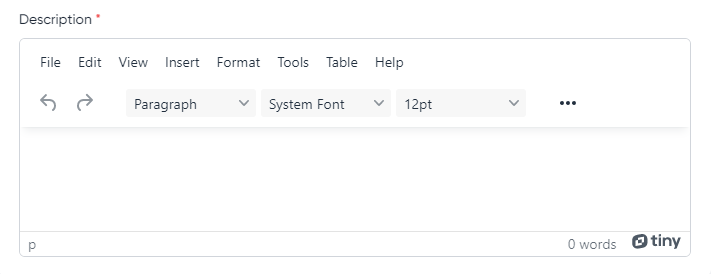
TinyMce is one of the most popular web editors. To use it in the MoonShine admin panel, there is a field of the same name.
Before using this field, you must register on the site at Tiny.Cloud , get the token and add it to the config/moonshine.php config.
'tinymce' => ['token' => 'YOUR_TOKEN']'tinymce' => ['token' => 'YOUR_TOKEN']
use MoonShine\Fields\TinyMce;//...public function fields(): array{return [TinyMce::make('Description')];}//...use MoonShine\Fields\TinyMce;//...public function fields(): array{return [TinyMce::make('Description')];}//...

Configuration
Language
locale(string $locale)locale(string $locale)
Plugins
plugins(string|array $plugins)plugins(string|array $plugins)
addPlugins(string|array $plugins)addPlugins(string|array $plugins)
removePlugins(string|array $plugins)removePlugins(string|array $plugins)
Menubar
menubar(string $menubar)menubar(string $menubar)
Toolbar
toolbar(string $toolbar)toolbar(string $toolbar)
addToolbar(string $toolbar)addToolbar(string $toolbar)
Options
addConfig(string $name, mixed $value)addConfig(string $name, mixed $value)
Tiny Comments
commentAuthor(string $commentAuthor)commentAuthor(string $commentAuthor)
Tags
mergeTags(array $mergeTags)mergeTags(array $mergeTags)
use MoonShine\Fields\TinyMce;//...public function fields(): array{return [TinyMce::make('Description')// Override plugin set->plugins('anchor autoresize')// Adding plugins to the base set->addPlugins('code codesample')// Removing plugins from the base set->removePlugins('autoresize')// Override toolbar set->toolbar('undo redo | blocks fontfamily fontsize')// Adding a toolbar to the base set->addToolbar('code codesample')// To change the author name for the tinycomments plugin->commentAuthor('Danil Shutsky')// Tags->mergeTags([['value' => 'tag', 'title' => 'Title']])// Adding configuration->addConfig('codesample_languages', [['text' => 'HTML/XML', 'value' => 'markup']])->addConfig('force_br_newlines', true)// Overriding the current locale->locale('en'),];}//...use MoonShine\Fields\TinyMce;//...public function fields(): array{return [TinyMce::make('Description')// Override plugin set->plugins('anchor autoresize')// Adding plugins to the base set->addPlugins('code codesample')// Removing plugins from the base set->removePlugins('autoresize')// Override toolbar set->toolbar('undo redo | blocks fontfamily fontsize')// Adding a toolbar to the base set->addToolbar('code codesample')// To change the author name for the tinycomments plugin->commentAuthor('Danil Shutsky')// Tags->mergeTags([['value' => 'tag', 'title' => 'Title']])// Adding configuration->addConfig('codesample_languages', [['text' => 'HTML/XML', 'value' => 'markup']])->addConfig('force_br_newlines', true)// Overriding the current locale->locale('en'),];}//...
Translation files are located in the public/vendor/moonshine/libs/tinymce/langs directory.
Additional settings
The addConfig() method allows for advanced configuration of TinyMce.
addConfig(string $name, bool|int|float|string $value);addConfig(string $name, bool|int|float|string $value);
use MoonShine\Fields\TinyMce;//...public function fields(): array{return [TinyMce::make('Description')->addConfig('extended_valid_elements', 'script[src|async|defer|type|charset]')];}//...use MoonShine\Fields\TinyMce;//...public function fields(): array{return [TinyMce::make('Description')->addConfig('extended_valid_elements', 'script[src|async|defer|type|charset]')];}//...
File manager
If you want to use the file manager in TinyMce, then you need to install the package Laravel FileManager
Installation
composer require unisharp/laravel-filemanagerphp artisan vendor:publish --tag=lfm_configphp artisan vendor:publish --tag=lfm_publiccomposer require unisharp/laravel-filemanagerphp artisan vendor:publish --tag=lfm_configphp artisan vendor:publish --tag=lfm_public
Be sure to set the 'use_package_routes' flag in the lfm config to false, otherwise caching routes will cause an error.
return [// ...'use_package_routes' => false,// ...];return [// ...'use_package_routes' => false,// ...];
Routes file
Create a routes file like routes/moonshine.php and register the LaravelFilemanager routes.
use Illuminate\Support\Facades\Route;use UniSharp\LaravelFilemanager\Lfm;Route::prefix('laravel-filemanager')->group(function () {Lfm::routes();});use Illuminate\Support\Facades\Route;use UniSharp\LaravelFilemanager\Lfm;Route::prefix('laravel-filemanager')->group(function () {Lfm::routes();});
File registration
Register the generated routes file in app/Providers/RouteServiceProvider.php.
The route file must be in the middleware moonshine group!
// ...public function boot(){// ...$this->routes(function () {// ...Route::middleware('moonshine')->namespace($this->namespace)->group(base_path('routes/moonshine.php'));});}// ...// ...public function boot(){// ...$this->routes(function () {// ...Route::middleware('moonshine')->namespace($this->namespace)->group(base_path('routes/moonshine.php'));});}// ...
In order to allow access only to users authorized in the admin panel you need to add middleware MoonShine\Http\Middleware\Authenticate.
use MoonShine\Http\Middleware\Authenticate;// ...public function boot(){// ...$this->routes(function () {// ...Route::middleware(['moonshine', Authenticate::class])->namespace($this->namespace)->group(base_path('routes/moonshine.php'));});}// ...use MoonShine\Http\Middleware\Authenticate;// ...public function boot(){// ...$this->routes(function () {// ...Route::middleware(['moonshine', Authenticate::class])->namespace($this->namespace)->group(base_path('routes/moonshine.php'));});}// ...
Configuration
You need to add a prefix in the config/moonshine.php configuration file.
'tinymce' => ['file_manager' => 'laravel-filemanager',]'tinymce' => ['file_manager' => 'laravel-filemanager',]